
Optimizing WordPress Performance on Kenyan Shared Hosting Platforms
WordPress powers over 40% of websites globally, with a significant presence in Kenya’s digital landscape. Optimizing WordPress performance on Kenyan shared hosting platforms is crucial for local businesses to thrive online.
This guide aims to help Kenyan website owners enhance their WordPress sites’ speed, security, and user experience. With the right strategies, even sites on shared hosting can achieve impressive performance, leading to better user engagement and improved search engine rankings.
Choosing the Right Hosting Provider
Selecting an appropriate hosting provider is the foundation of a well-performing WordPress site. When evaluating Kenyan hosting providers, consider these key features:
- High-performance servers optimized for WordPress
- Reliable uptime (aim for 99.9% or higher)
- 24/7 customer support
- Easy software installations and updates
- SSD storage for faster data retrieval
Let’s compare two popular Kenyan hosting providers:
| Feature | Tayo Host | Webcom Kenya |
|---|---|---|
| WordPress Optimization | Yes | Yes |
| Uptime Guarantee | 99.9% | 99.9% |
| 24/7 Support | Yes | Yes |
| SSD Storage | Yes | Yes (Premium plans) |
| Free SSL | Yes | Yes |
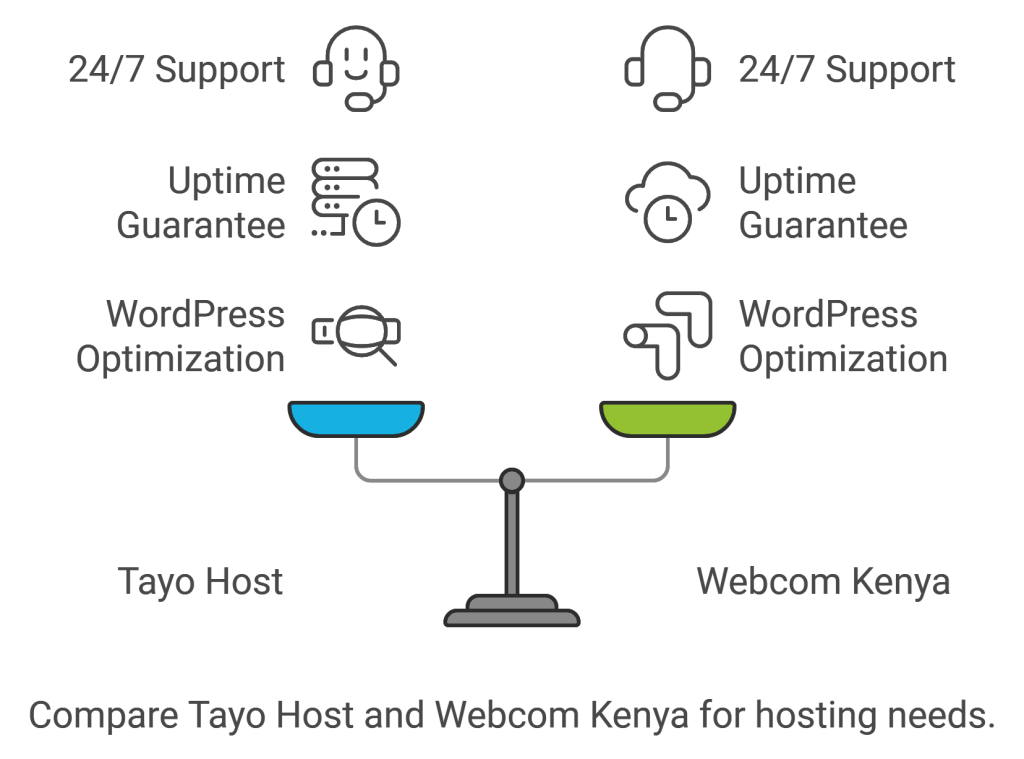
While both providers offer similar features, it’s essential to read user reviews and test their customer support responsiveness before making a decision.
Optimizing Server and Hosting Settings
Once you’ve chosen a hosting provider, focus on optimizing your server and hosting settings:
Utilizing LiteSpeed Servers
LiteSpeed servers can significantly boost WordPress performance. They offer:
- Faster page load times
- Improved server response times
- Better handling of concurrent connections
Ask your hosting provider if they offer LiteSpeed servers and how to enable them for your WordPress site.
Configuring Automated Updates
Enable automated core updates and security patches to ensure your WordPress site stays secure and up-to-date. Many Kenyan hosting providers offer this feature through their control panel.
Setting Up Automated Daily Backups
Regularly backing up your website is crucial. Configure daily automated backups to protect your data. Most quality Kenyan hosts provide this service, often through cPanel or a custom dashboard.
Author Note: While automated updates are convenient, it’s wise to maintain a staging environment to test updates before applying them to your live site.
Streamlining Website Content
Optimizing your website’s content is crucial for improved performance:
Optimizing Images
Large images can significantly slow down your site. Use these techniques to optimize images:
- Compress images using tools like TinyPNG or ShortPixel
- Use WebP format for better compression and quality
- Implement lazy loading to defer off-screen images
Minifying CSS & JS Files
Minification removes unnecessary characters from your code without changing its functionality. Use plugins like Autoptimize or WP Rocket to minify your CSS and JavaScript files.
Implementing Caching
Caching stores static versions of your pages, reducing server load and improving load times. WP Rocket is a popular caching plugin that offers comprehensive features for Kenyan WordPress sites.
Author Note: While caching plugins are powerful, they can sometimes conflict with other plugins. Always test thoroughly after implementing caching solutions.
Enhancing Security and SSL
Security is paramount for any WordPress site, especially on shared hosting:
Using an SSL Certificate
An SSL certificate encrypts data transferred between your site and its visitors. It’s essential for:
- Protecting user data
- Improving search engine rankings
- Building trust with visitors
Many Kenyan hosts offer free SSL certificates through Let’s Encrypt.
Implementing Security Best Practices
- Use strong passwords and change them regularly
- Limit login attempts with plugins like Limit Login Attempts Reloaded
- Keep WordPress core, themes, and plugins updated
- Use security plugins like Wordfence for additional protection
Performance Monitoring and Analytics
Regularly monitoring your site’s performance is crucial for ongoing optimization:
Tools for Monitoring Website Performance
- Google PageSpeed Insights: Offers performance scores and optimization suggestions
- GTmetrix: Provides detailed performance reports and recommendations
- New Relic: Offers in-depth performance monitoring and analytics
Interpreting Performance Data
Focus on these key metrics when analyzing your site’s performance:
- Time to First Byte (TTFB)
- Largest Contentful Paint (LCP)
- First Input Delay (FID)
- Cumulative Layout Shift (CLS)
Use this data to identify and address performance bottlenecks.
Content Tailored for Kenyan Audiences
Optimizing content for local audiences can significantly improve engagement:
Understanding Local User Behavior
- Mobile-first approach: Over 80% of Kenyan internet users access the web via mobile devices
- Bandwidth considerations: Optimize for slower connections in rural areas
- Local language support: Consider offering content in Swahili and other local languages
Optimizing Content for Local Audiences
- Use local examples and case studies
- Incorporate local keywords and phrases
- Create content that addresses local challenges and interests
Author Note: Engaging with local communities and gathering feedback can provide valuable insights for content optimization.
Final thoughts.
Optimizing WordPress performance on Kenyan shared hosting platforms requires a multifaceted approach. By choosing the right hosting provider, optimizing server settings, streamlining content, enhancing security, and tailoring your content to local audiences, you can significantly improve your site’s performance.
Remember to regularly monitor your site’s performance and make adjustments as needed. With these strategies, your WordPress site can deliver an excellent user experience, even on shared hosting.
Ready to supercharge your WordPress site’s performance? Start implementing these optimization strategies today.
For reliable and optimized WordPress hosting in Kenya, consider Tayo Host, known for their excellent performance and customer support. Your faster, more efficient WordPress site is just a few clicks away!



One Comment